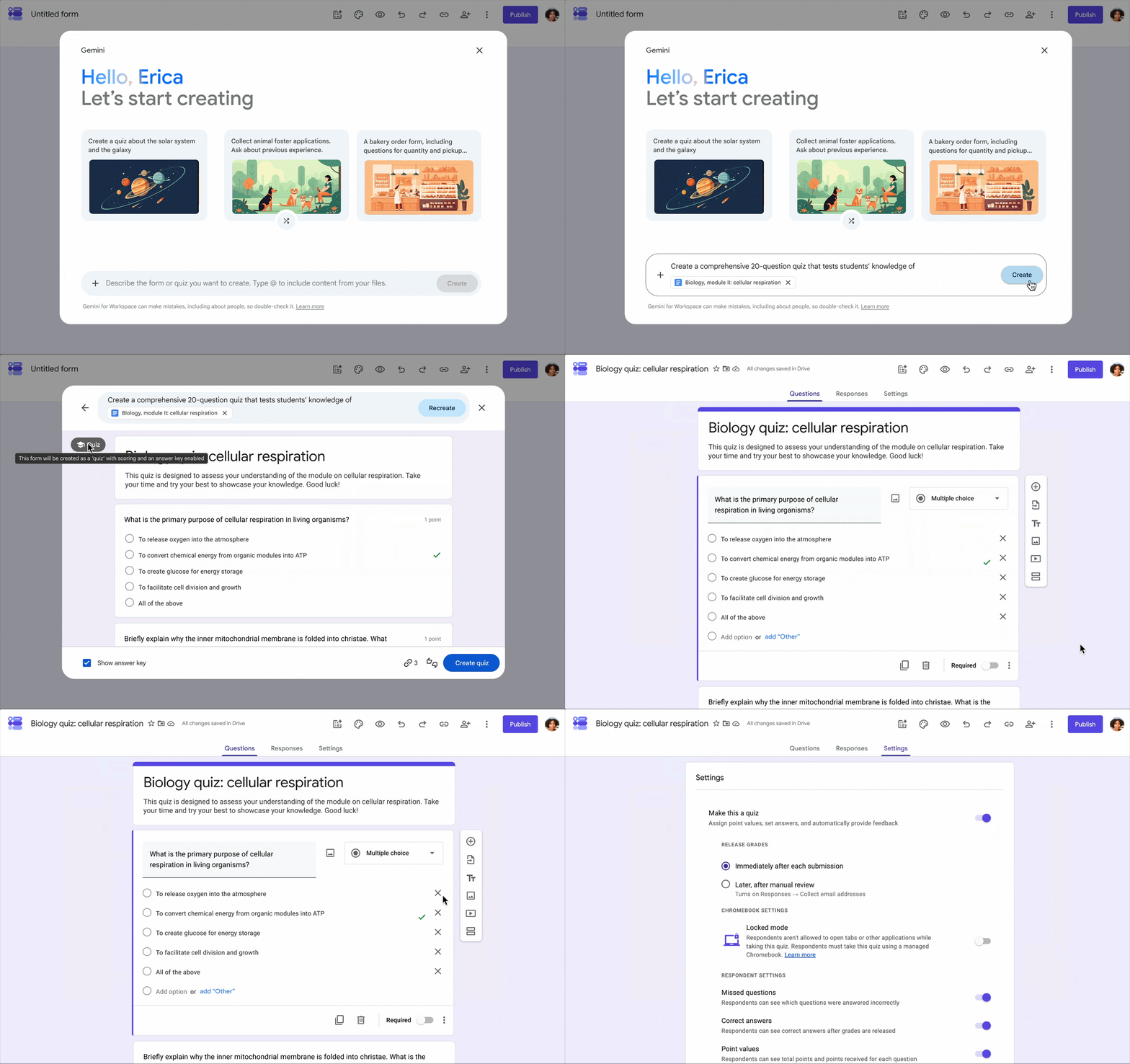
You can use the "Help me create" feature in Google Forms to generate quizzes using Gemini. You can write prompts to instantly build custom quizzes using source materials stored in Google Drive.
To generate a quiz using Gemini, open a new form in Google Form, then enter in prompt in the 'Help me create' window.
Some examples include "Create a 10-question multiple-choice quiz testing key concepts from @Syllabus_Week3.pdf." or "Build a 5-question reading comprehension quiz based on @Lecture_Notes_Ch4.docx, including detailed answer explanations for each question."
Learn more about creating a quiz using Gemini in Google Form.
Availability
- These features will be available for all UNLVMail (@unlv.edu) accounts and Rebelmail accounts (@unlv.nevada.edu).